Mobile app
Run your business from your pocket.
Approvals, sales, purchase, payments, stock and reports, in a phone-first app built on the same ledger as the desktop. Android today; sign in with the account you already use.
Android 10 and up · v1.0.0 · ~11 MB

Scan with your phone's camera to download
Real screens, real numbers.
These aren't mockups — they're the app signed into the live demo workspace.
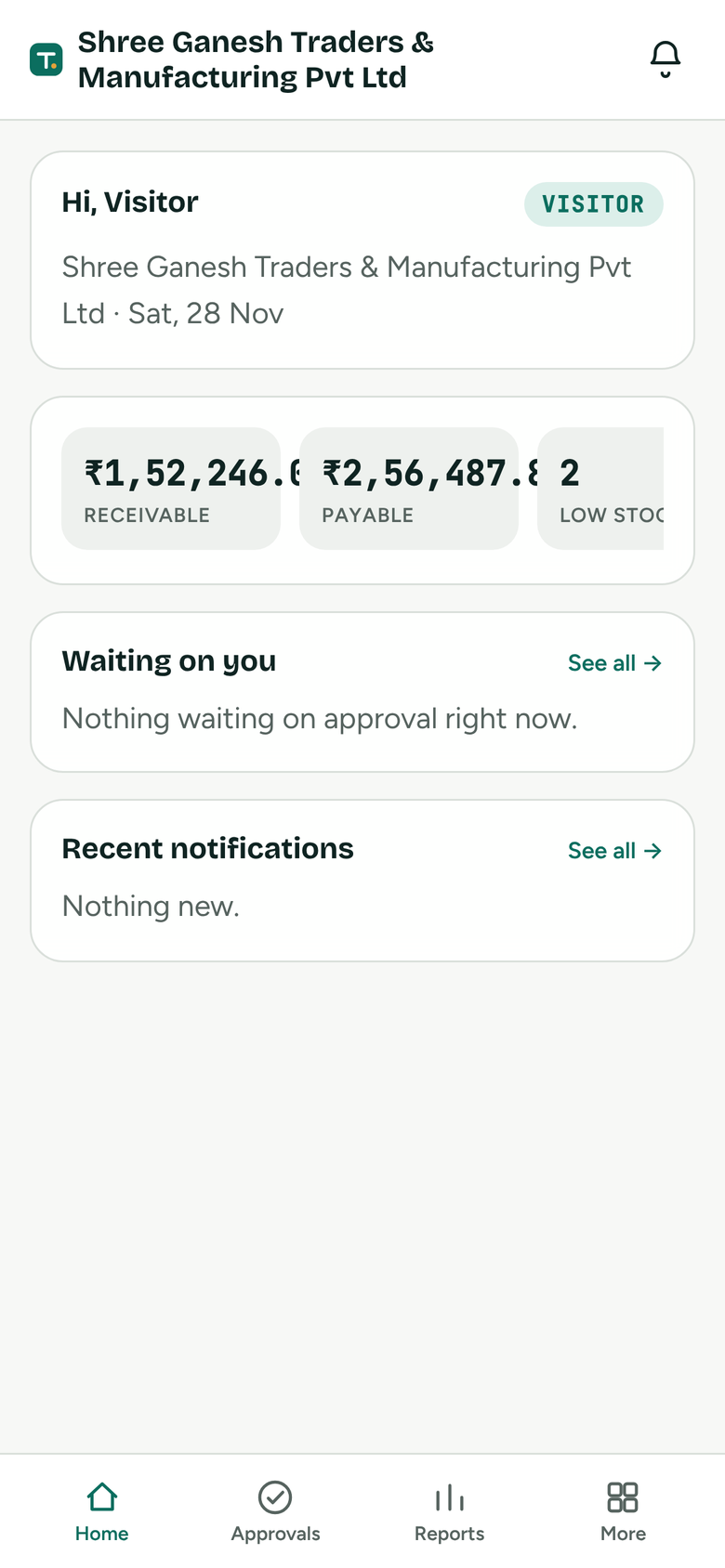
Home — today's numbers at a glance
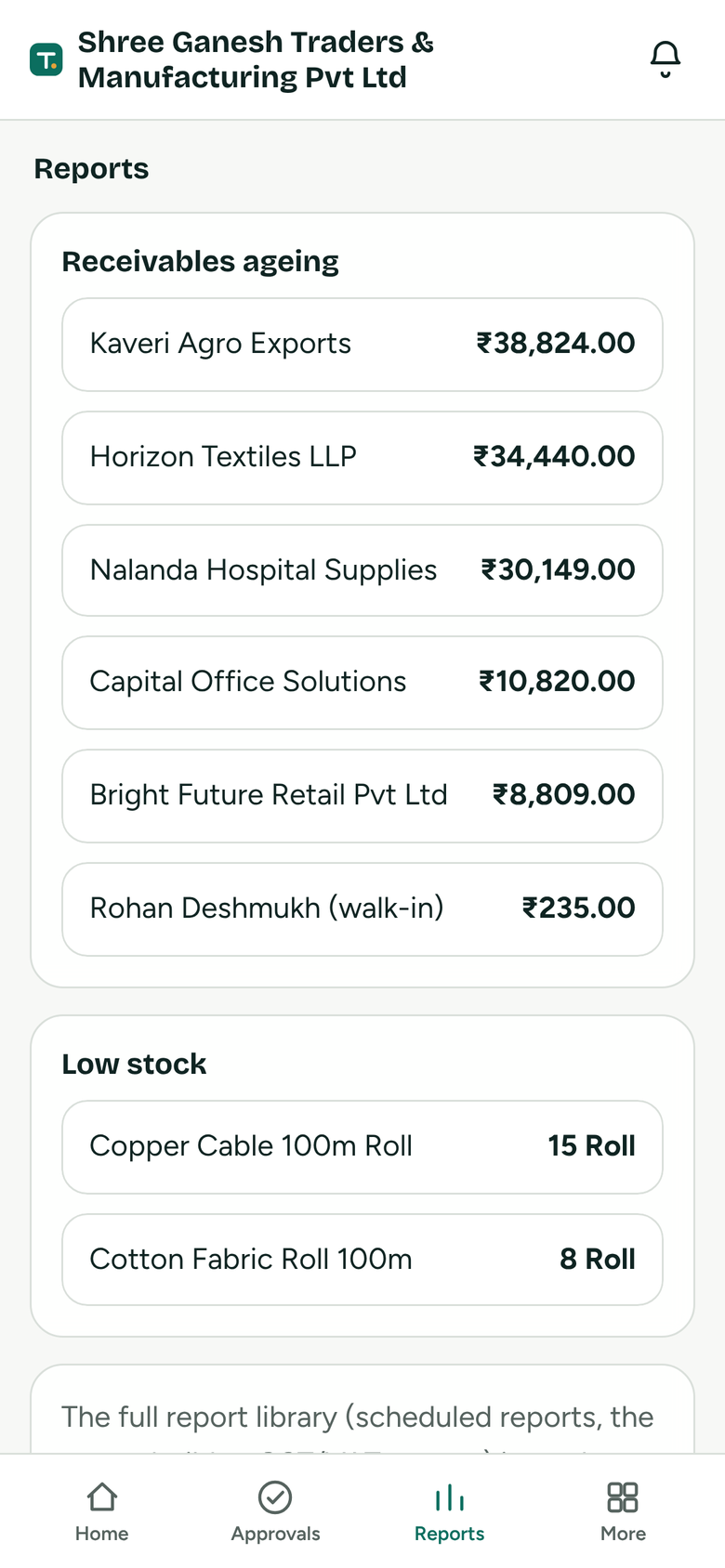
Reports — who owes what, what's running low
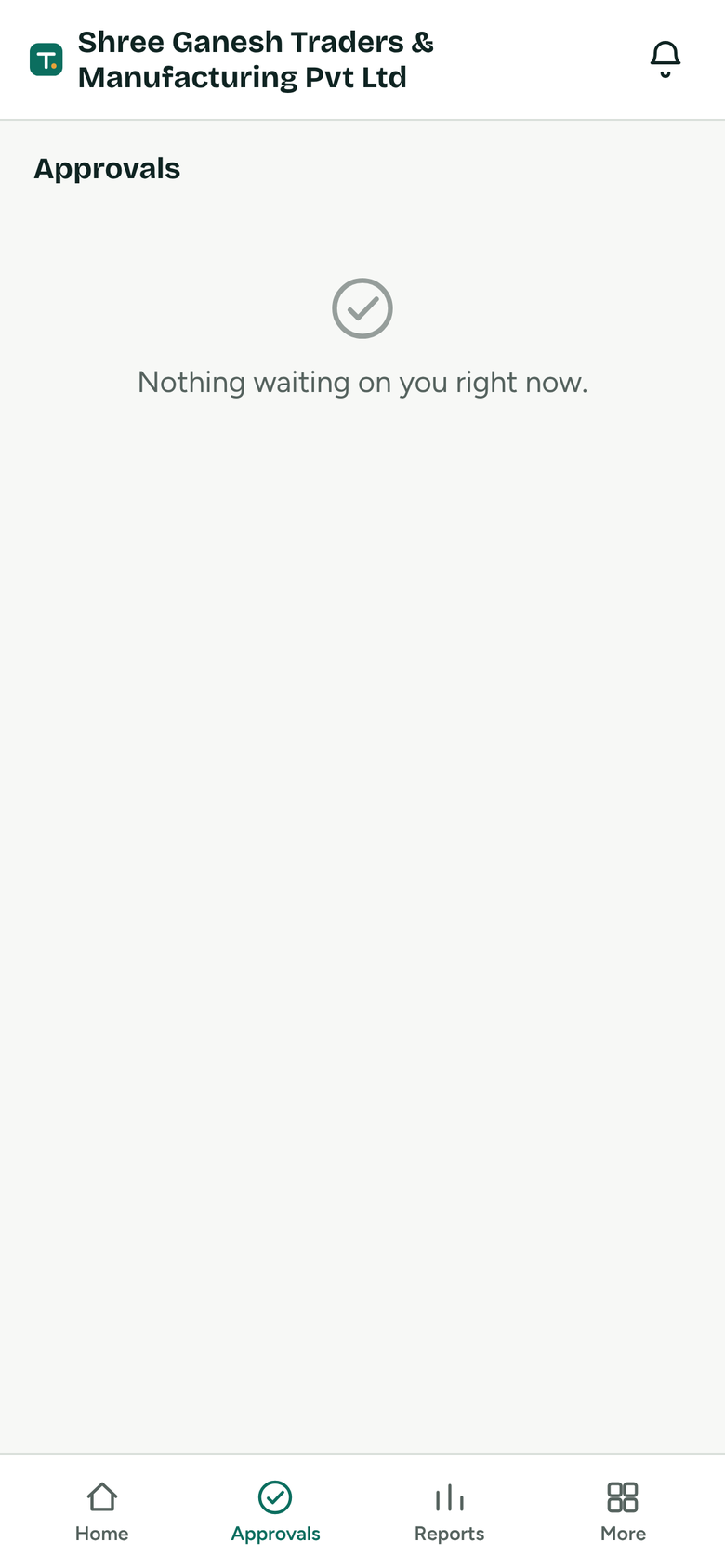
Approvals — swipe to clear what's waiting
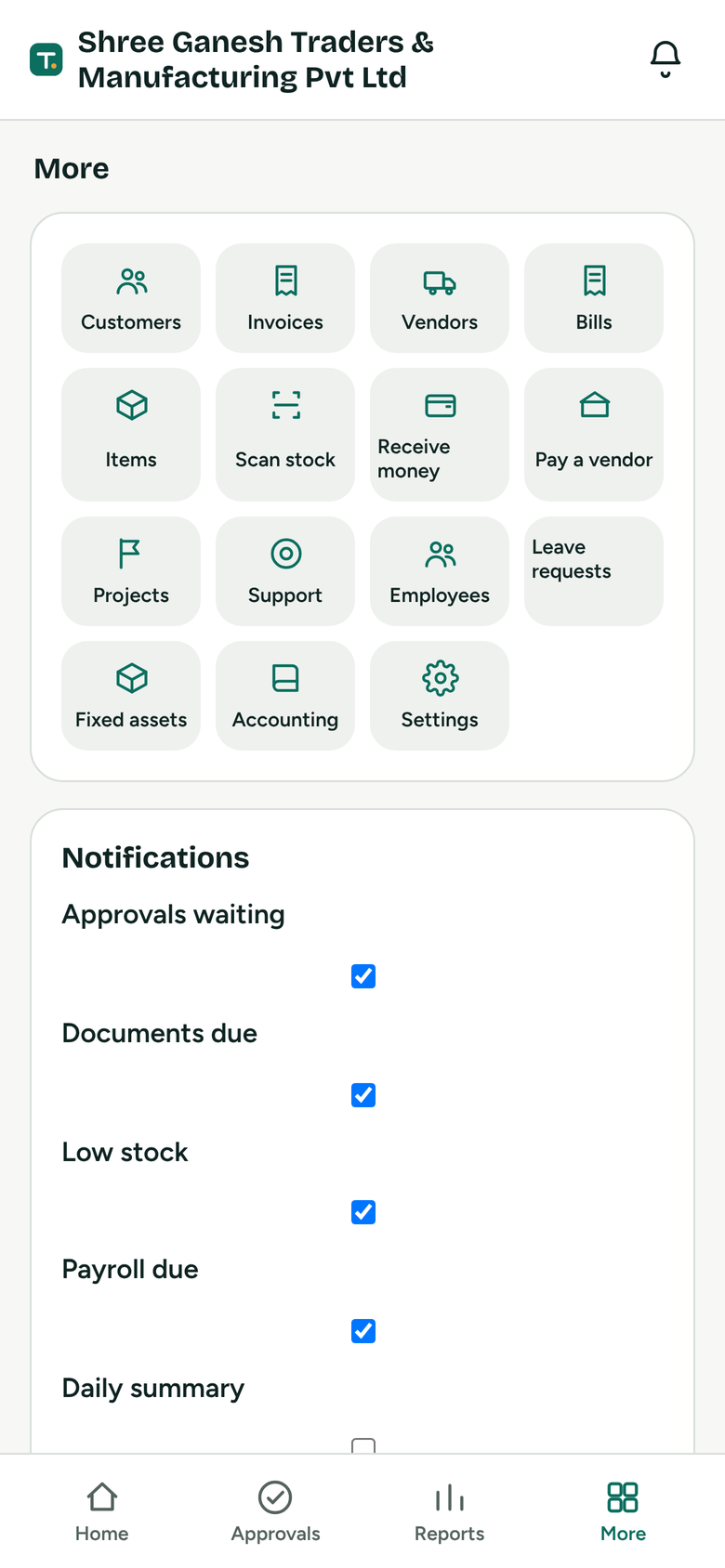
Everything, one tap away
Everything in the app
The full module list — each one reads and writes the same ledger as the desktop, with the same permissions.
Today at a glance
Receivable, payable and low-stock tiles, what's waiting on your approval, and recent notifications — the moment you open the app.
Approvals
Swipe to approve or reject anything waiting on you — orders, bills, leave, expense claims — with a reason, from anywhere.
Sales & purchase
Search invoices and bills, check what's outstanding and part-paid, and tap through to full line-item detail.
Payments
Receive money or pay a vendor and allocate it against open documents — the same flow as the desktop.
Customers & vendors
Search any party, see their balance, and tap to call — handy on the way into a meeting.
Items & stock
Stock on hand with low-stock flagged at a glance, plus barcode stock scanning using the phone's camera.
Reports
Receivables ageing and low stock built for a phone screen, with a link out to the full report library for anything deeper.
Projects & support
Track open tasks and support tickets, update status, and add comments on the move.
Accounting, view-only
The chart of accounts with live balances and recent journal entries, down to debit/credit line detail.
Fixed assets
Every asset's net book value at a glance, with cost, accumulated depreciation and the full depreciation history behind a tap.
Employee self-service
Payslips with the full earnings and deductions breakdown, leave balances with apply and cancel, and expense claims — draft, submit, track.
Notifications
An in-app notification centre plus per-user toggles: approvals waiting, documents due, low stock, payroll due, a daily summary.
Built like a phone app, honest like an ERP.
Swipe-to-reveal actions on every list, pull-to-refresh, and bottom tabs that adapt to your role — a store manager, an accountant and an employee each see their own app.
And deliberately: you can view, approve, pay, and submit from the phone — but creating new sales or purchase documents and posting journal entries stays on the desktop, where pricing, stock and tax lookups belong. An ERP on a phone should make you faster, not let a thumb-slip post to your books.
One account, every device
Same login, same permissions, same ledger as the desktop — nothing to sync, nothing to reconcile. Updates install in place; you set it up once.
Getting started
- Download the APK above, or scan the QR code with your phone.
- Open it and enter your company's workspace address (the part of your Telic ERP link before
.teliccognitive.com). - Sign in with your usual Telic ERP email and password — it's the same account as the desktop.
Android blocks installs from outside the Play Store by default — when prompted, allow this one install and continue. The app is signed and updates in place; you won't need to repeat setup for later versions.